When we are working on a project, sometimes we forget some commands in the terminal, such as how to install packages, use options, or filter the use of the grep command for example.
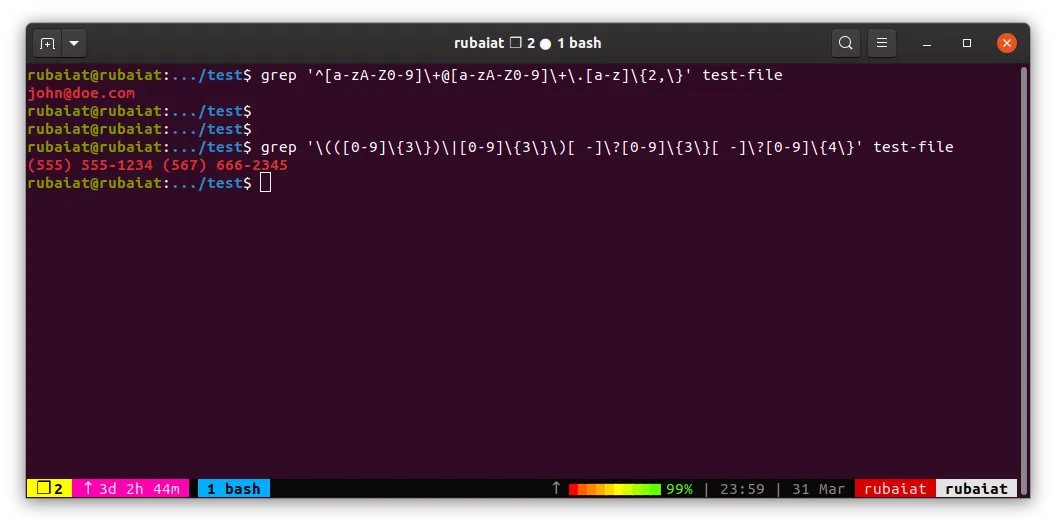
Sometimes it’s a pain, making us need to google, look at script documentation, or ask chatGPT if we want an instant. Even though what we are looking for is only a short terminal command just because we forgot the command.
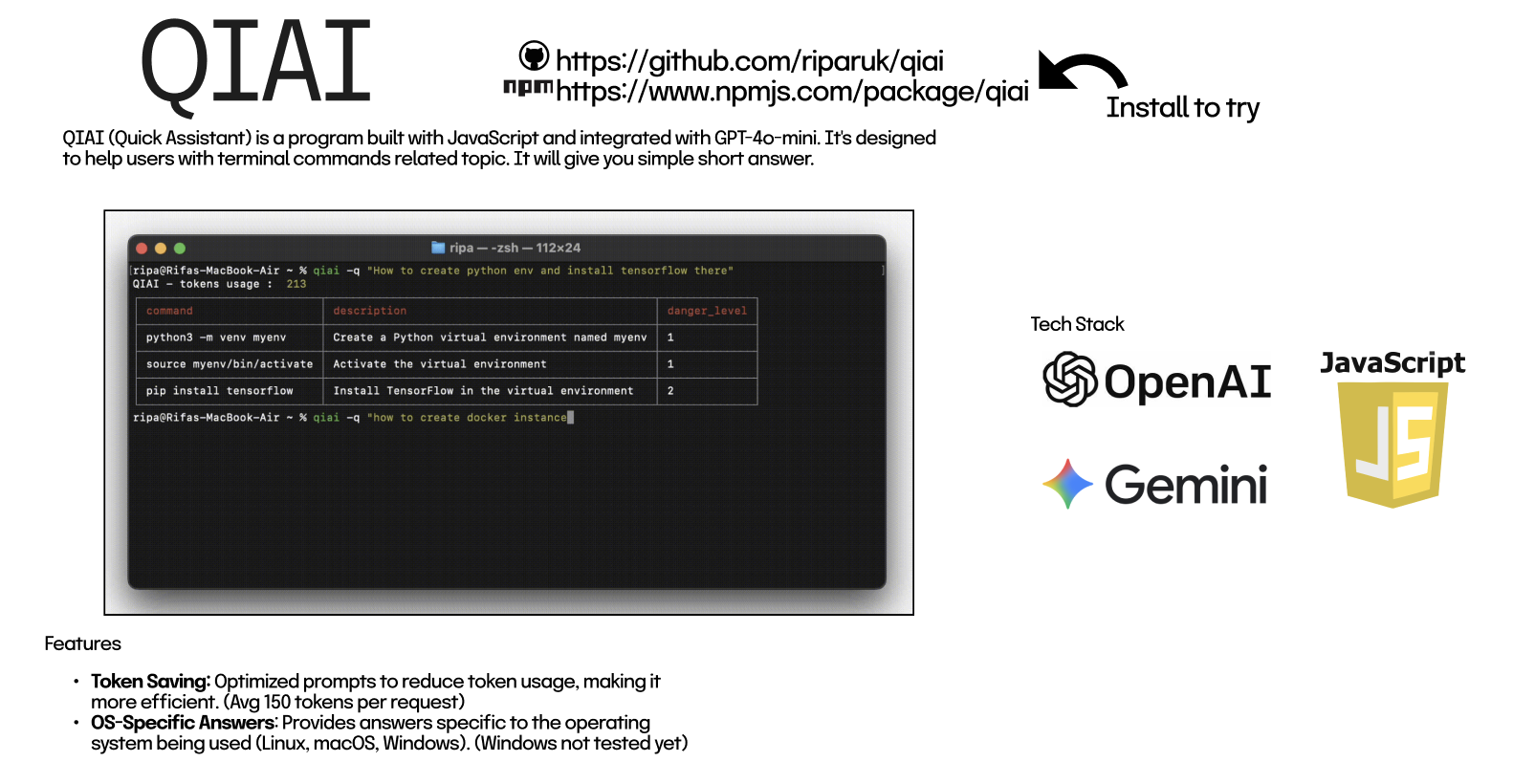
To make it simple, I created a script that is very easy to use, integrated with the GPT 3.5 API, and produces the on-point output we need, I named it QIAI (Quick Assistant).
Since the latest versions, QIAI also supports Google Gemini as an alternative AI provider. This allows users to choose or switch between OpenAI and Gemini depending on preference, availability, or cost considerations.
When using chatGPT, we need to adjust several things such as the OS used, the form of output we want, otherwise chatGPT will give a very, very long answer and take a long time.

While using QIAI, it is more efficient, the results produced are more targeted, that’s because QIAI (for v1.1.1) has features :
- OS-Specific Answers: Provides answers specific to the operating system being used (Linux, macOS, Windows). (Windows not tested yet)
- Multiple AI Providers: Supports both OpenAI GPT and Google Gemini for generating terminal commands.
- Token Saving: Optimized prompts to reduce token usage, making it more efficient. (Avg 150 tokens per request)
OpenAI GPT API is quite cheap, using the API for QIAI does not use large costs, here are the costs of gpt 3.5 that QIAI uses.
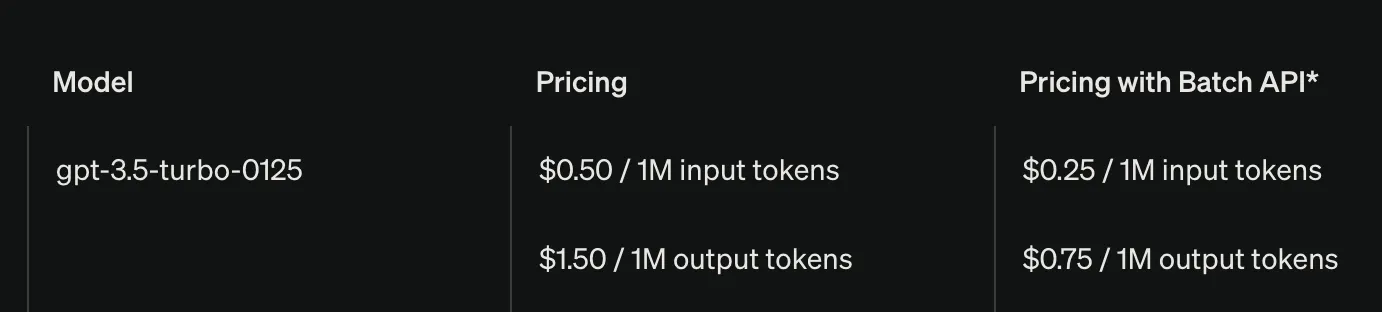
Per 1 request, QIAI uses an average of 150 tokens, so with just $1 you can call requests 13 thousand times. quite cheap isn’t it, it doesn’t hurt if you try.
How to Install QIAI
You can easily install it using npm globally.
npm install -g qiai
Set the openai api key to be able to access gpt, run :
qiai --set-openai-api-key your-api-key
Alternatively, you can configure Google Gemini by setting its API key:
qiai --set-gemini-api-key your-gemini-api-key
You can switch or manage providers later without reinstalling QIAI.
How to Use QIAI
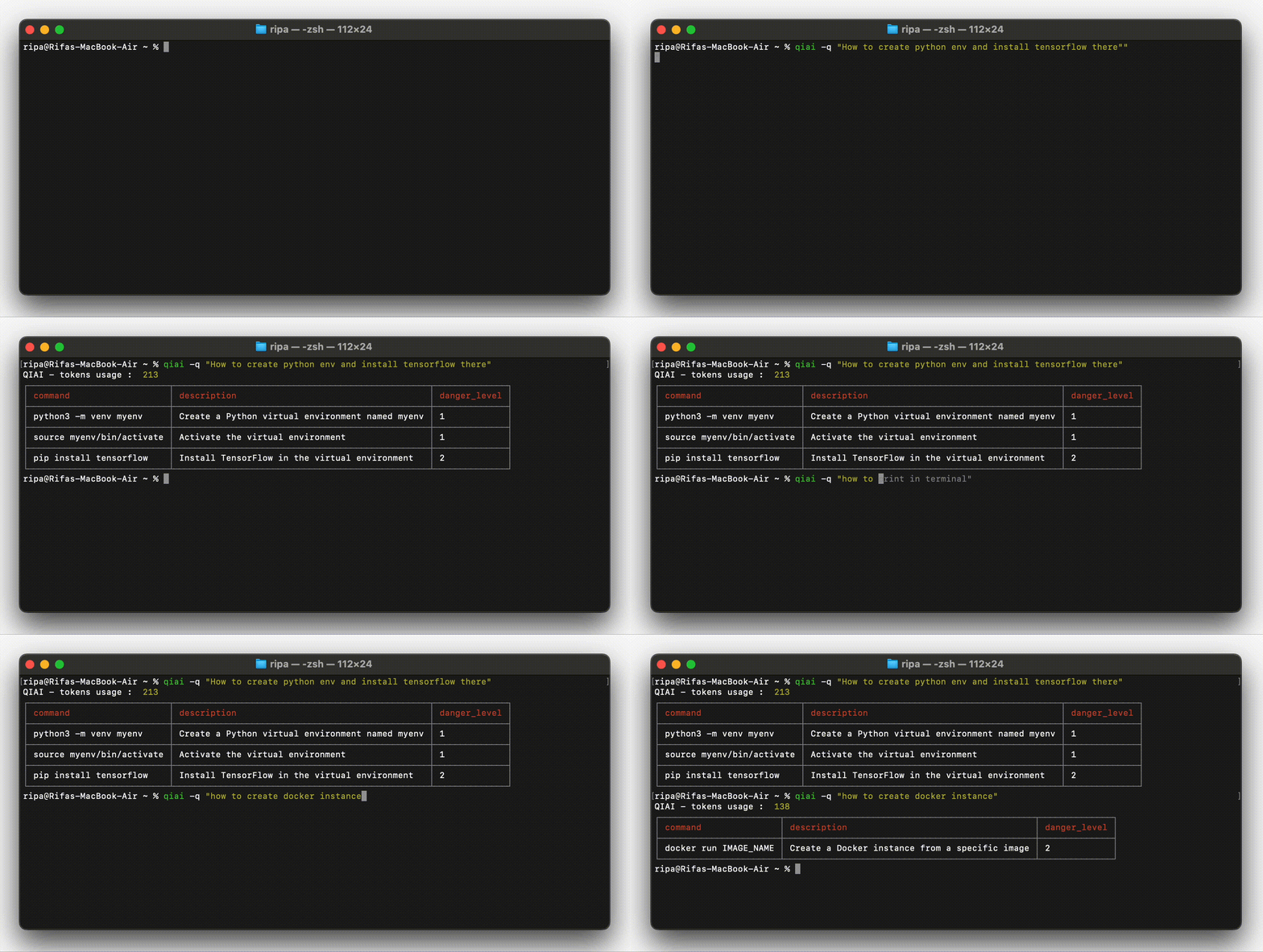
Ask a Question, by running :
qiai -q "your question"
Thanks for reading, hope it help :)
If you want to collaborate, or need more features for QIAI, you can create an issue on the github repo.
Link Github : https://github.com/riparuk/qiai